
ImmigrationProf Blog by Email
Valentine’s Day strikes me as the perfect holiday on which to provide your annual reminder of how to get ImmigrationProf Blog updates and/or digests via email. After all, we love our readers!
You’ll need to start with a third party website like Feedrabbit. What’s great about this site is its simplicity. When you go to the website you’ll see this clear form at the top:
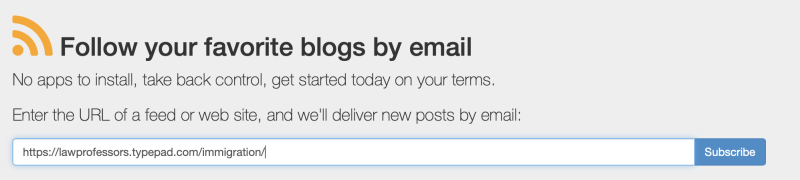
Insert our web address: https://lawprofessors.typepad.com/immigration/. Then hit the subscribe button.
Yu’ll be taken to this page. Don’t ask me why there are two options for this one blog, just pick one and hit “sign up to subscribe.”

That will take you to this page, where you enter your email address. Complete the recaptcha and you’re done!

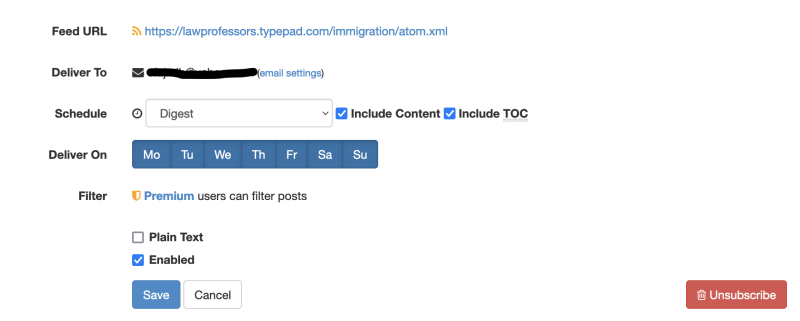
You’ll start getting ImmigrationProf blog posts in your email. Note: the default for Feedrabbit is to send you emails for every post unless the blog gets “busy.” But you can also configure your subscription to send daily or weekly digests with full content or just the table of contents.
There are plenty of other RSS feed and digest options out there including Feedly, NewsBlur, and Inoreader. I spent some time poking around those three, but I found them more well-suited to folks who are following multiple blogs and want to view them all within a single app.
I hope this update helps. We definitely want to make accessing the blog as easy as possible for you!
-KitJ